4 ways scientists are automating lab documentation with AI
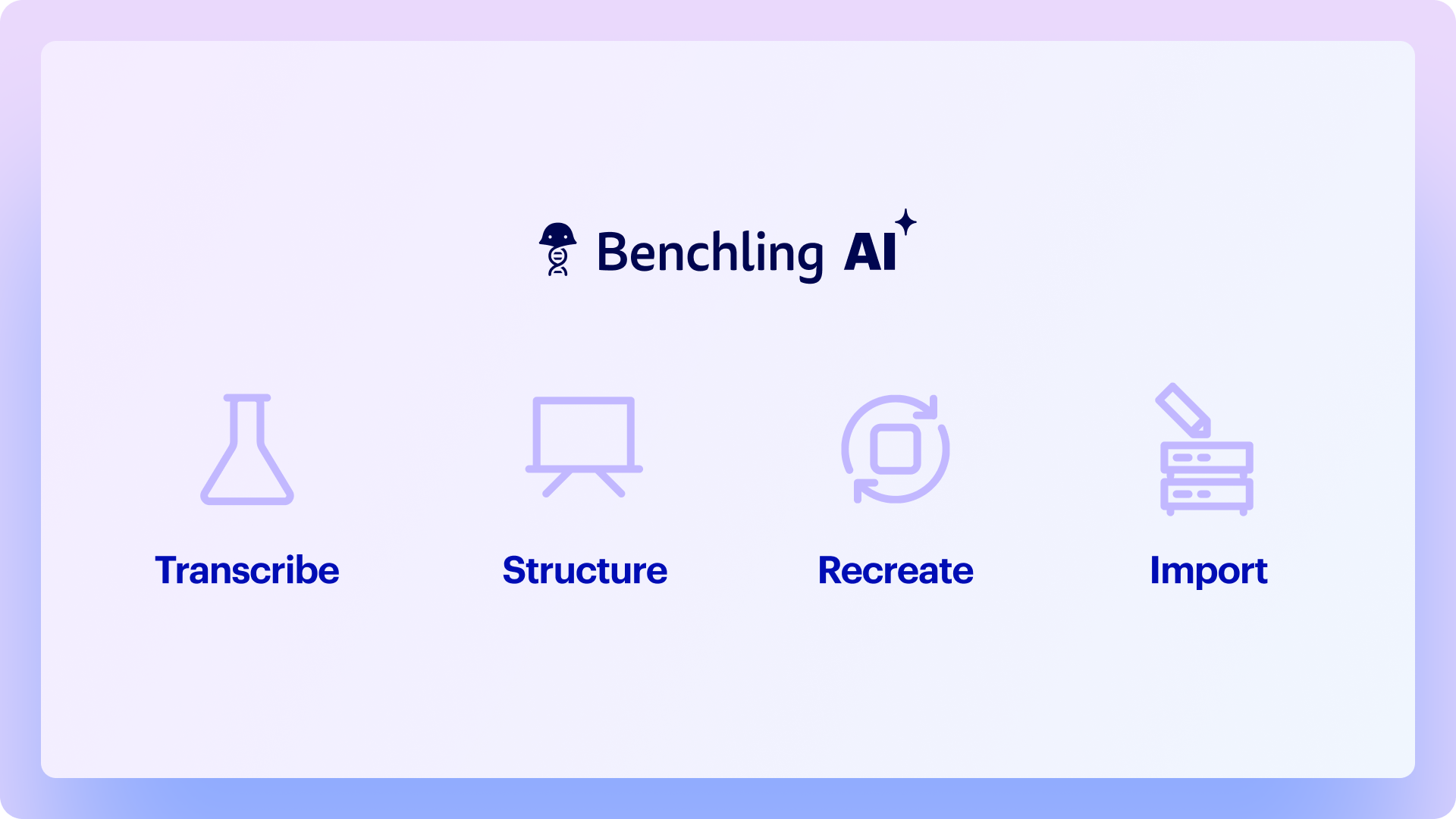
AI is changing how documentation gets done. In Benchling, the Compose Agent helps you turn any input — data files, whiteboard photos, or past entries — into structured documentation within minutes, freeing you up to spend more time on the science.
Transcribe vendor protocols into reusable templates
Structure lab meeting notes into experiment plans
Recreate experiments with modifications
Import data files into a notebook entry together
You've just finished a lab meeting where your PI sketched an experiment on the whiteboard. Now you need to turn those notes into a proper notebook entry before you forget the details.
Or maybe you bought a new kit with a 15-page protocol PDF, and the thought of manually typing all those steps into Benchling makes you want to put it off until tomorrow.
These aren't difficult tasks. They're just tedious. And they add up to hours you'd rather spend actually doing science.
AI can help you move faster than ever. Yes, even when it comes to compiling lab entries and completing documentation. Benchling's Compose Agent handles exactly these scenarios — drafting entries and templates from files, photos, or previous entries. This ensures consistency, preserves context, and creates structured data your whole team can build on. Here's how research teams are using it:
1. Turn vendor protocols into reusable templates
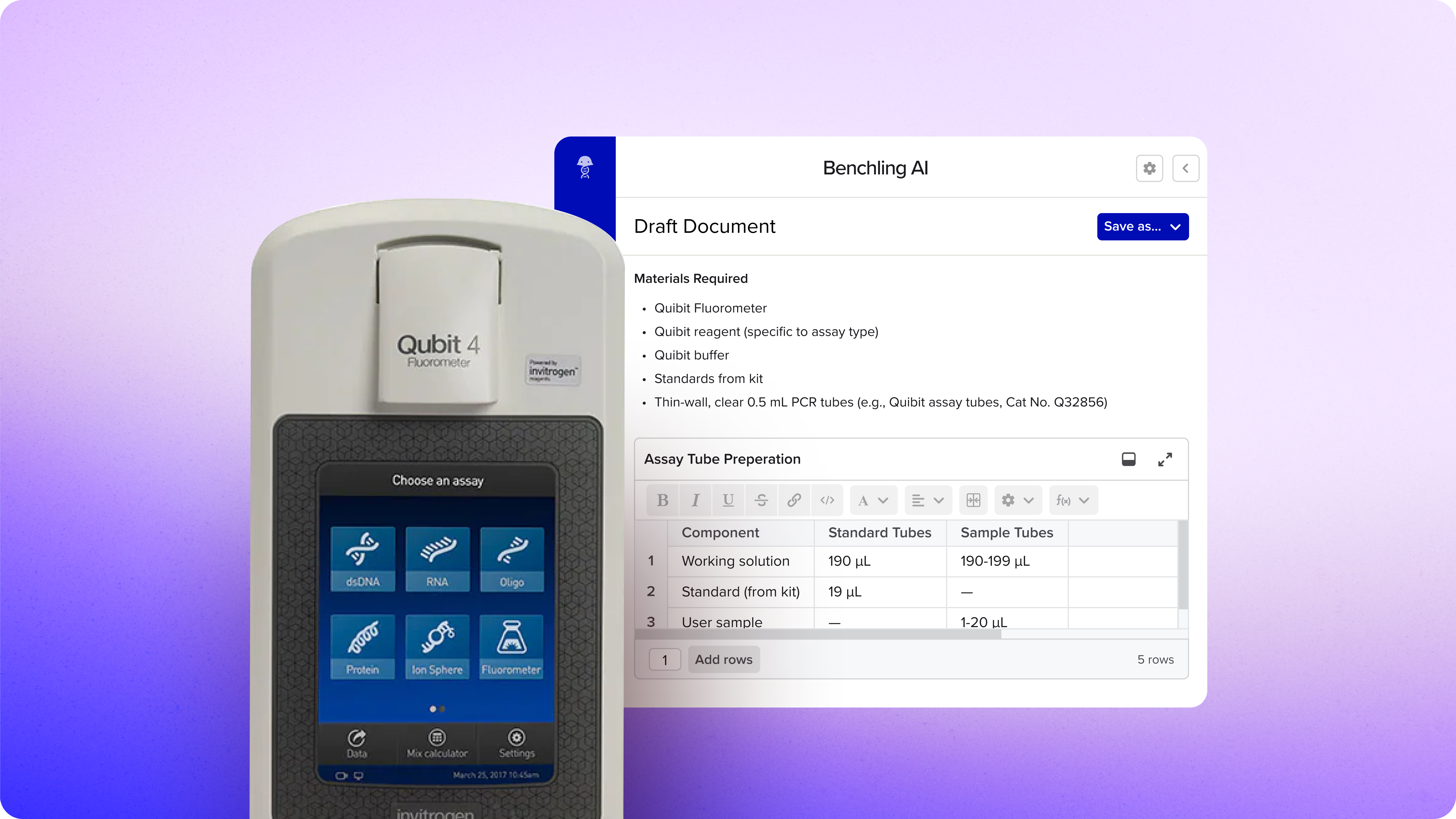
The situation: You buy a DNA quantification kit. Instead of manually typing the protocol into Benchling, you simply upload the quick guide PDF into the AI chat.
In Benchling, Compose creates a structured entry with the materials list, step-by-step procedures, and a DNA quantification results table — ready to save as a template for your team.
The AI payoff: Every lab runs standard assays repeatedly. Creating the template once ensures consistency across your team, reduces errors from manual transcription, and captures institutional knowledge. New team members can execute protocols correctly from day one, and your lab benefits from standardized, structured data that's queryable across the lab.
Example Prompt:
“Draft an entry using the file attached. Include any Benchling result tables for Qubit.”
💡 AI Pro tip: Don’t have a PDF? Don’t worry! We support multiple file types, PDF, Word docs, images, CSV etc.
2. Structure lab meeting notes into experiment plans
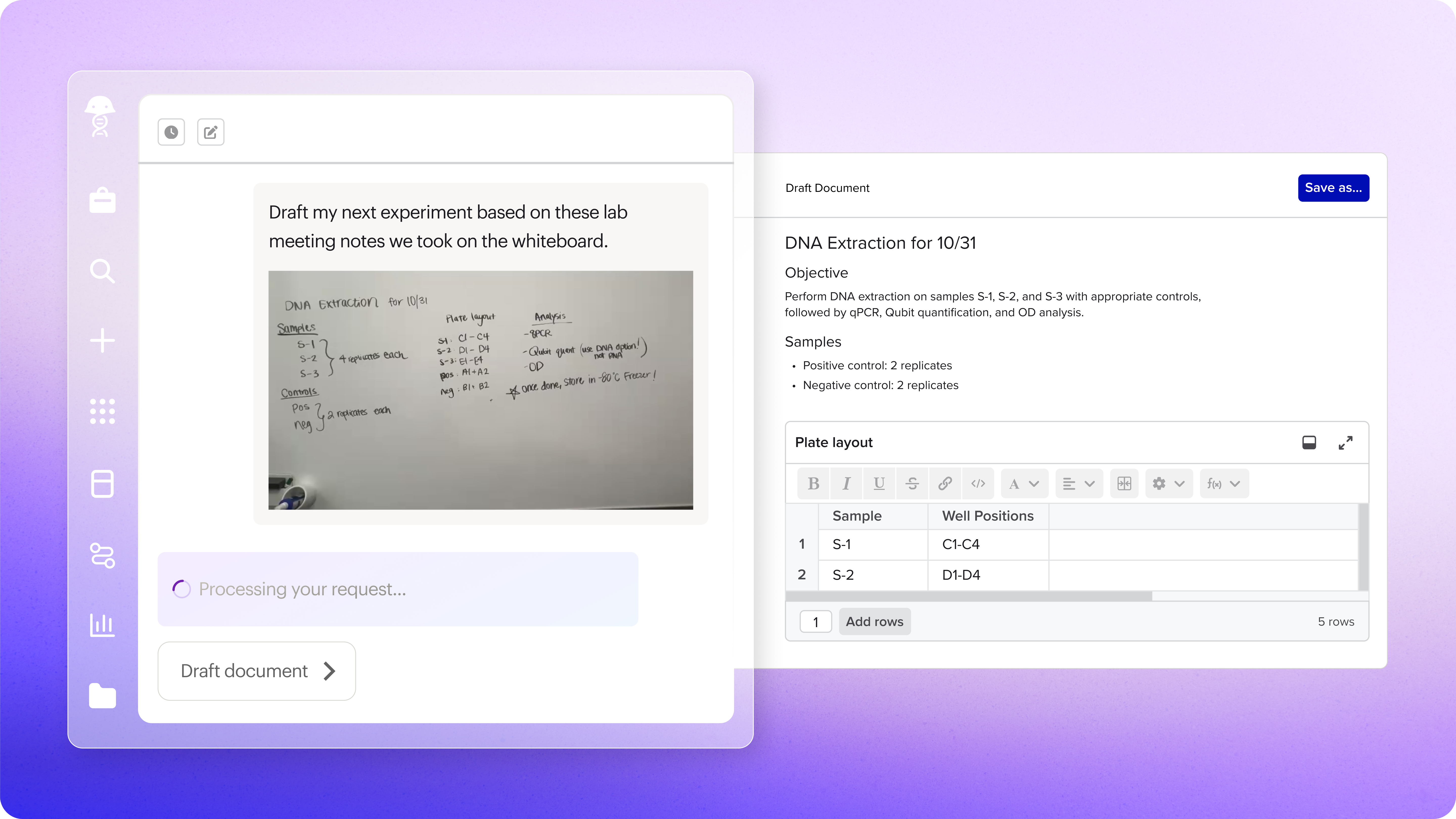
The situation: During a lab meeting, you sketch a plate layout on the whiteboard with treatment groups and sample organization to show your PI. You snap a photo with your phone, upload it to the AI chat, and ask it to create an experiment entry.
In Benchling, Compose can interpret the hand-drawn layout and generates a formatted entry with a proper 96-well plate map and structured sample groups.
The AI payoff: Lab planning often happens on whiteboards or notebooks. Compose bridges the gap between planning and documentation ensuring nothing gets missed. This is particularly critical for complex experiments where there’s lots of sample organization, plate layouts, or multi-step protocols that need to be documented accurately before you start.
Example Prompt:
“Draft my next experiment based on these lab meeting notes we took on the whiteboard.”
💡AI Pro tip: If the whiteboard sketch is messy or incomplete, you can refine in chat. For example, "Add sample IDs starting with CTRL-001".
3. Recreate experiments with modifications
The situation: You ran a reporter gene assay last month with 24 samples. Now you need to run it again with 34 samples and an additional control group. You upload the files into the AI chat and describe the changes you’d like to make. The AI spits out a modified version of the experiment.
In Benchling, you can simply paste the old entry URL into Compose. Compose then generates the modified draft directly in Benchling within seconds, and you can refine it further if needed.
The AI payoff: AI lets you leverage your existing work to do more science, more efficiently. Instead of starting documentation from scratch each time, you can quickly iterate on proven methods, test variations, refine protocols, and drive progress faster. This lets you build on what worked while easily adjusting what needs to change.
Example Prompt:
“I’m running another fluorescence reporter gene assay on new samples. Create an entry based on the past experiment. [Link or attach past entry].”
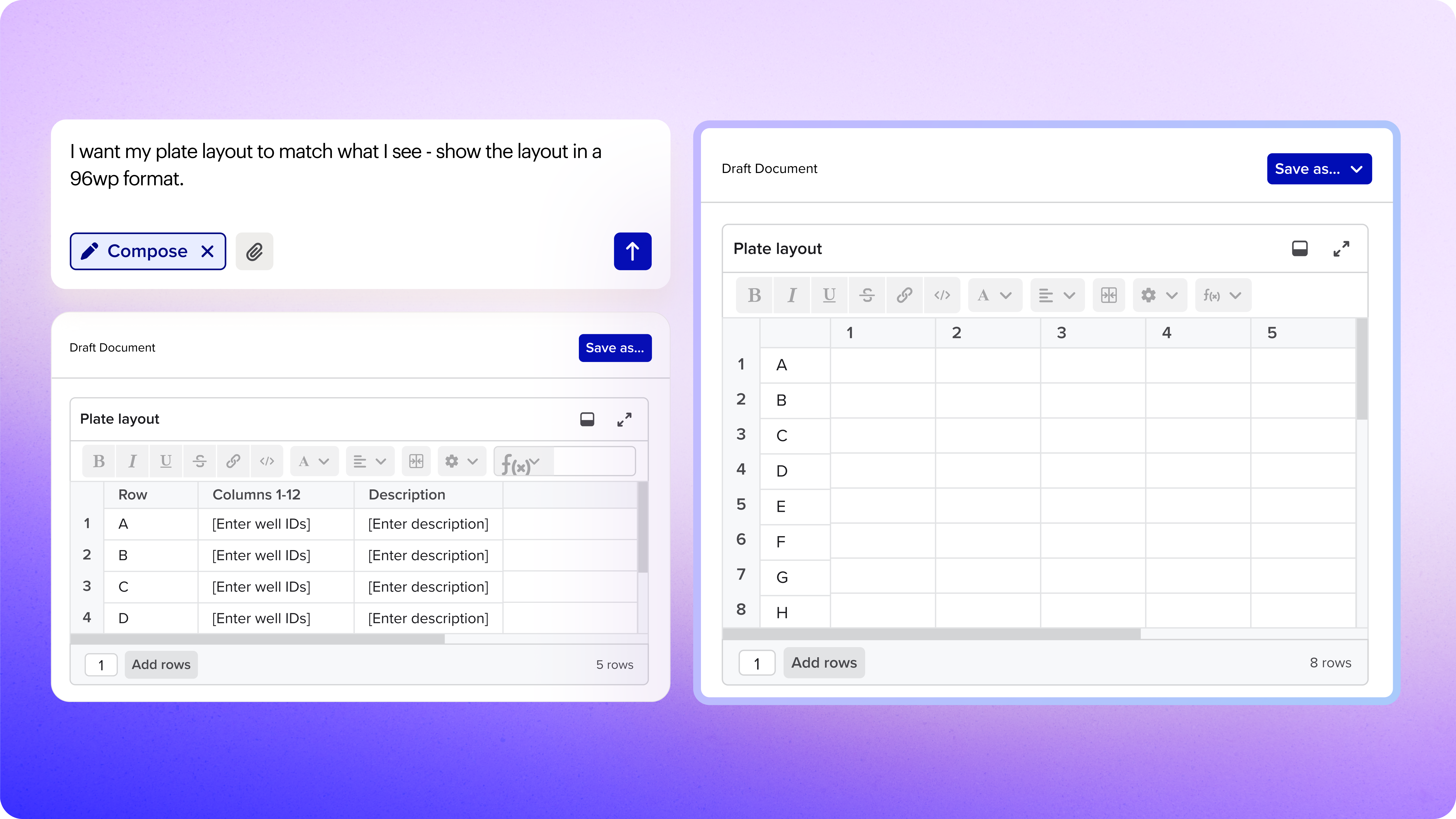
💡 AI Pro tip: You can add result tables, adjust plate formats, or restructure sections with simple follow-up prompts such as “Show the layout in a 96wp format.”
4. Import experiment notes and data files together
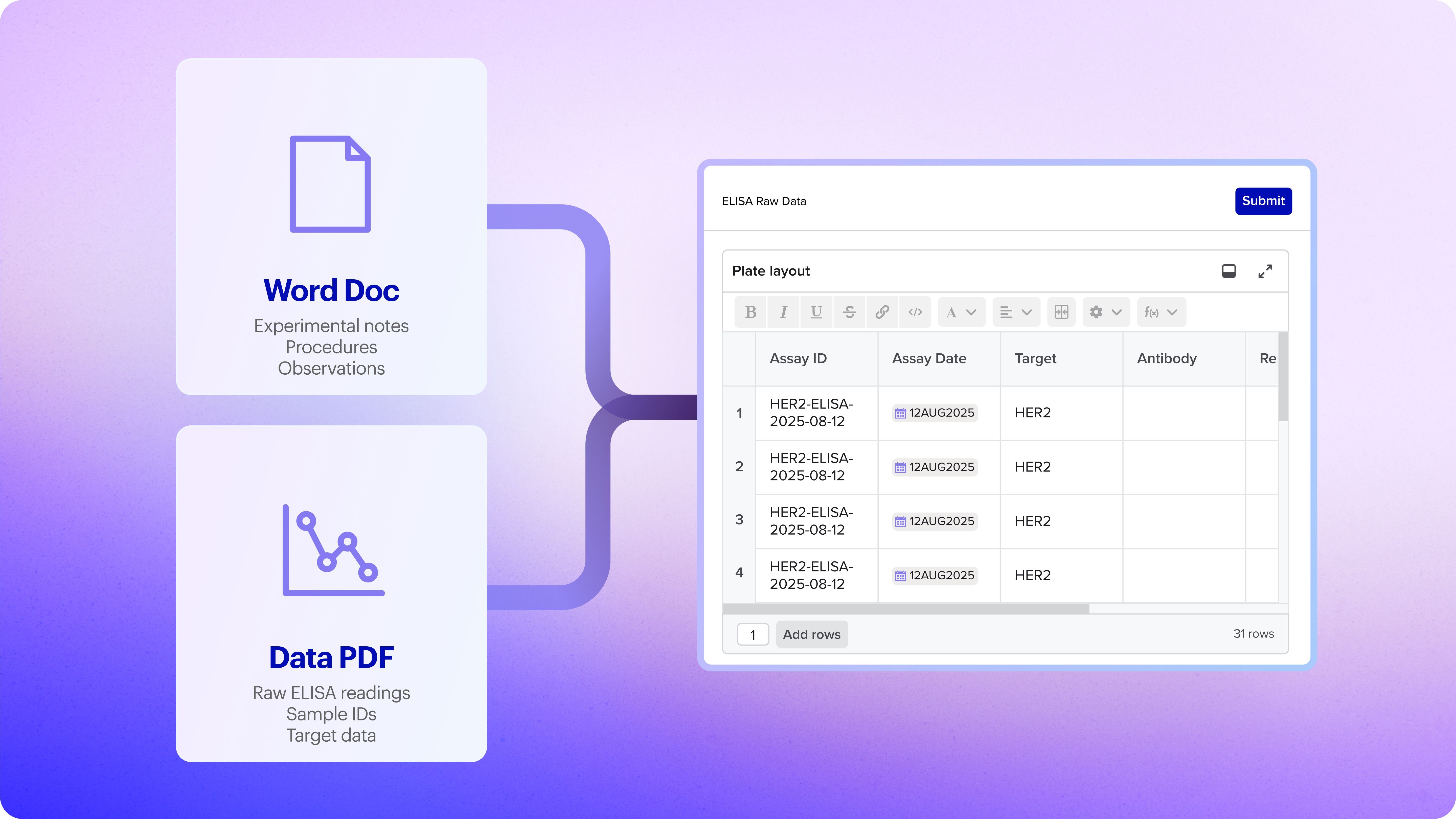
You are working on an ELISA experiment and have the procedure documented in a Word doc and the raw plate reader data in a PDF. Instead of retyping this in Benchling, you can simply upload both files to the AI chat and it will return a new lab entry with the incorporated notes.
In Benchling, the Compose agent creates an entry with all the procedural notes and populates the ELISA results table with the data extracted from the plate reader PDF — maintaining quality controls while preparing your data for analysis and insights.
The AI payoff: Particularly valuable for transcribing historical data files, CRO deliverables, or pre-Benchling experiments. Instead of handling narrative and data separately, process both at once. This approach allows you to easily bring external data into Benchling and ensure experimental data stays connected to its context — critical for regulatory review, team handoffs and building upon past work.
Example Prompt:
“I have some experiment notes I captured in Word that I want to move into Benchling. Create a Benchling entry for me. Then log the results from my raw data file into an ELISA results table.”
💡 Benchling AI Pro tip: Results aren't auto-submitted — you will be prompted to review and manually submit after saving the entry.
Documentation and administrative tasks might not be your favorite part of the job but it doesn't have to be the part that eats up your afternoon either.
Compose handles the transcription, the formatting and the structuring. What you get back isn't just time but also consistency across your team, a central hub for your lab knowledge, and data that's easily searchable when you need to find it six months from now.
The most important part? You stay in control. Review the drafts, refine them in chat, and decide what to save. Compose does the heavy lifting, but you make the calls.
Ready to try Compose Agent?
Get started with Benchling AI. Request a demo
Want more prompts, tips, and real stories from scientists using AI in the lab? Check out our AI Resources Hub.
FAQ
Can I use photos instead of PDFs?
Yes! Photos of printed protocols, whiteboard sketches, or handwritten notes all work. No need to create a clean digital version first.
What if the first draft isn't quite right?
Keep chatting to refine it. Add result tables, change plate formats, restructure sections, adjust sample counts. Compose maintains context and updates the draft based on your prompts.
Will Compose find my result tables automatically?
If you have schemas with clear, descriptive names (like "DNA Quantification - Qubit" instead of "DNA_quant_v3") and descriptions, Compose can find and insert matching tables. The more context in your schema, the better the matching works. We recommend adding descriptions to your entity schemas on Benchling for an improved experience using our various AI agents.
Are results automatically submitted when I import data?
No. When Compose populates a results table, you'll review the data and manually submit it after saving the entry. This keeps you in control of what gets committed to your system.
Does Compose work with CRO deliverables?
Absolutely. CRO data often arrives as a mix of narrative reports (Word/PDF) and data files (Excel/PDF). Compose can handle both in one workflow, creating the entry and populating result tables together.